Generate and download a filament profile (OrcaSlicer / Bambu Studio / Creality Print). Written for the United Kingdom, in British English. A price in pounds is shown only when this site has already checked a UK shop; euro amounts from the English edition are not converted and are not repeated here. Shop links open .
Tool · Filaments
Generate and download a filament profile (OrcaSlicer / Bambu Studio / Creality Print) — United Kingdom
Choose the material, spool brand and your printer. We prefill temperatures, volumetric flow, cooling and retraction, then you download a.json file to import via File → Import configs.
Updated 18 November 2026
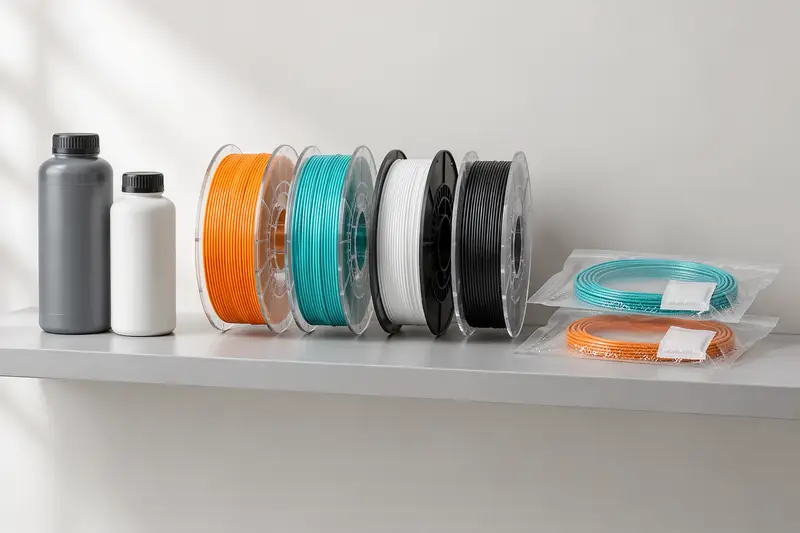
Profile preview
Import: OrcaSlicer / Bambu Studio / Creality Print → File → Import configs. Adjust ±5 °C after a calibration tower test.
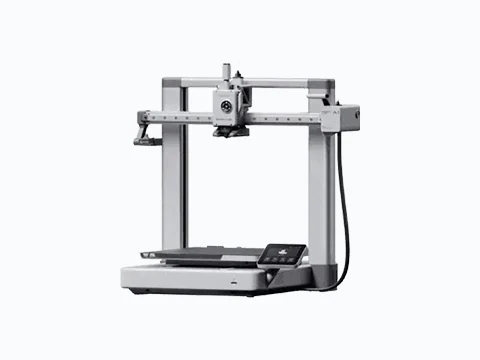
What the file contains
The JSON is a user filament preset that inherits the generic Orca profile (Generic PLA @System, etc.). It sets nozzle and bed temperatures, maximum volumetric flow, cooling and retraction, plus the compatible printer variant (e.g. Bambu Lab A1 0.4 nozzle).
Supported materials
| Material | Typical nozzle | Bed | Cooling |
|---|---|---|---|
| PLA | 200–220 °C | 60 °C | 100 % |
| PETG | 235–250 °C | 75–85 °C | 30–50 % |
| ABS / ASA | 245–265 °C | 95–105 °C | 0–20 % |
| TPU | 210–230 °C | 50–60 °C | 0–40 % |
Brands and materials covered
- Materials: PLA, PLA+, PETG, TPU, ABS, ASA.
- Printers: Bambu Lab, Creality, Elegoo, Anycubic, Sovol (preset 0,4 mm Orca).
- Spools: AzureFilm, Creality Hyper, Elegoo, eSUN — filament × printer matrix.
See spools on official stores:
Elegoo · affiliate link · Creality · affiliate link · AzureFilm · eSUN
Common questions
Frequently asked questions
Where do I import the JSON in OrcaSlicer?
File → Import configs, then pick the downloaded filament profile. Select it in the filament list before slicing.
Are the temperatures exact for my spool?
They are starting points aligned with our filament × printer matrix. Validate with a temperature tower and a flow tower, then adjust by ±5 °C if needed.
Can I use the profile in Bambu Studio or Creality Print?
Yes: Orca filament presets import into Bambu Studio and Creality Print for baseline settings.
Sources
- https://www.orcaslicer.com/wiki/developer-reference/how_to_create_profiles
- https://wiki.bambulab.com/en/general/filament-guide-material-table
- https://azurefilm.com
- https://eu.elegoo.com
- https://www.esun3d.com
Starting settings checked and consolidated in October 2026; validate with a temperature tower and a flow tower on your machine.
A question about this machine or guide? Ask it here
We read every message and reply by email, usually within a few days.