Skip to content

ALARM:1 / ALARM:2 — G-code ALARM:1 / ALARM:2 (limits) on Longer Ray5 / B1 (Ray5, Laser B1): cause and fix. Written for Canada, in Canadian English. A price in Canadian dollars is shown only when this site has already checked a Canadian shop; euro amounts from the English edition are not converted and are not repeated here. Shop links open .

Diagnostics · xTool · Longer · Cricut

ALARM:1 / ALARM:2 — G-code ALARM:1 / ALARM:2 (limits) on Longer Ray5 / B1 (Ray5, Laser B1): cause and fix — Canada

Immediate stop, Hard/Soft limit in LightBurn or LaserGRBL.

Updated 24/10/2026 · Data: official manufacturer spec sheets

← All faults

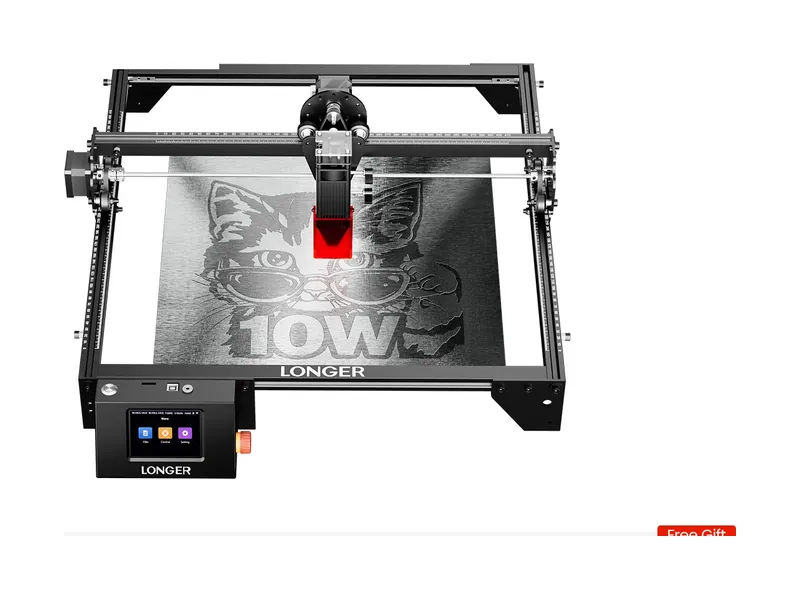
Longer Ray5 10W
Longer Ray5 10WLonger Technology
Difficulty 1/5Time 5 minCost the price on Amazon.caTools PC, LightBurn or LaserGRBL

Symptom

Immediate stop, Hard/Soft limit in LightBurn or LaserGRBL.

Likely cause

Job out of bounds, wrong origin, mechanical stop.

Fix procedure

Home machine, check job size, disable soft limits briefly to re-centre, re-enable.

On this page (4)

User maintenance & wear parts vs manufacturer service

Routine maintenance and user-replaceable wear parts: lenses, filters, honeycomb bed, Air Assist, blades and cutting mats. Internal faults, laser source, mainboard or drive rollers under warranty: contact the official manufacturer service (xTool, Longer Technology or Cricut) to keep your warranty and stay safe.

If you are unsure, if your machine is under warranty, or if the error persists after basic checks, contact official support or have the manufacturer repair your device.

Contact official support & manufacturer service

BrandLinksEmailPhone
Longer Technologysupport@longer3d.com+1 (888) 575-9099

Was this page helpful?

A question about this machine or guide? Ask it here

We read every message and reply by email, usually within a few days.